Mixing and metering devices for Ableton Live
Mix Maak VU
Analog VU meter for Ableton Live
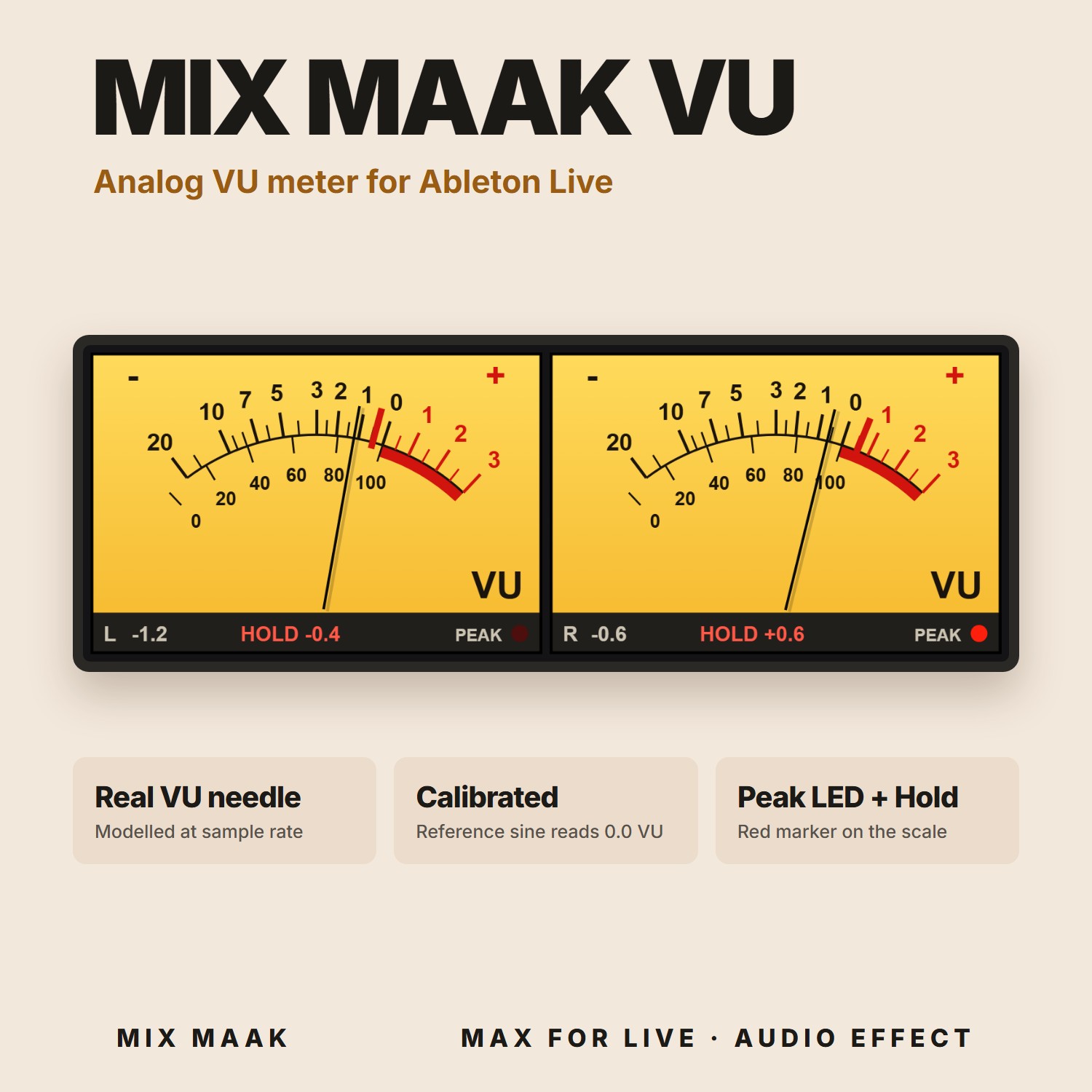
A stereo VU meter that reads like real hardware: true VU needle ballistics, a calibrated scale and a red hold marker. Gain-stage every track around 0 VU before it hits your plugins.
Pay what you want
Name your price at checkout. Enter $0 to get it free, or pay what you think it's worth to support Mix Maak.
Get Mix Maak VU- Instant download link sent to your email
- Royalty-free for your commercial releases
- Secure checkout and local taxes handled by Lemon Squeezy
Requirements
- Ableton Live 11 Suite (11.2 or later) or Live 12 Suite (uses Max for Live)
- Tested on Windows
What's inside
01 · Display
The meter
- —Two analog needle meters, left and right
- —VU scale from -20 to +3 plus a 0-100% scale
- —Numeric readout of the needle with one decimal
- —Red hold marker that keeps the highest reading for 2 seconds
- —PEAK LED for each channel
02 · Max for Live device
Controls
- —0VU=: reference level, from -30 to 0 dBFS (default -18 dBFS)
- —Peak: threshold of the PEAK LED
- —Rise: needle speed, to match the VU meter you already trust
- —HOLD and RESET for the red marker
03 · Calibration
Accuracy
- —Average-responding detector, like a classic VU
- —Needle ballistics computed at audio sample rate
- —A sine at the reference level reads 0.0 VU
- —Audio passes through untouched
Why producers use it
- Reads like a hardware VU: an average-responding needle, not a peak meter in disguise
- Needle motion is computed at audio sample rate, so it moves smoothly instead of jumping between screen frames
- Authentic scale: 0 VU sits at about two thirds of the swing, just like a moving-coil meter
- Gain-stage every track around 0 VU (-18 dBFS by default) before your compressors and saturators
- Rise control to match the needle speed of another VU meter you already use
- PEAK LED warns you about fast transients that a VU needle is too slow to show
Questions
How does "pay what you want" work?+
You choose the price at checkout, including $0. Your download arrives by email either way. Paying helps fund the next Mix Maak tools and instruments.
Can I use it in commercial releases?+
Yes. Everything you create with it is yours to release royalty-free. You can't resell or share the device, rack or samples themselves. Read the full license.
I lost my download link+
Check the receipt email from Lemon Squeezy, or write to contact@mixmaak.comand we'll send it again.